
Appearance
Marketing Campaigns
Build automated marketing sequences that send the right message at the right time.
What Are Campaigns?
Campaigns are multi-step communication sequences that automatically send emails or SMS messages to your contacts. Unlike single automations, campaigns let you create a series of messages with customised timing between each step.
Example: A "New Customer Welcome" campaign might include:
- Immediately - Welcome email with company introduction
- 3 days later - Tips on getting the most from your service
- 7 days later - Request a review with portal link
Campaign Types
| Type | When to Use | Example |
|---|---|---|
| Automated | Trigger-based sequences that start when an event happens | New contact welcome, post-job follow-up |
| One-Off | Manual sends to a selected audience | Seasonal promotions, service reminders |
Automated Campaigns
Automated campaigns start when a specific event occurs:
- Contact Created
- Job Completed
- Quote Sent
- Quote Expired
- Invoice Paid
- Subscription Started
- Subscription Cancelled
One-Off Campaigns
One-off campaigns are sent manually to contacts you select. Use these for:
- Seasonal promotions
- Service reminders
- Re-engagement of inactive customers
Campaign Statuses
| Status | Description |
|---|---|
| Draft | Being configured, not yet active |
| Active | Running and sending messages |
| Paused | Temporarily stopped, can be resumed |
| Archived | Permanently stopped, kept for historical data |
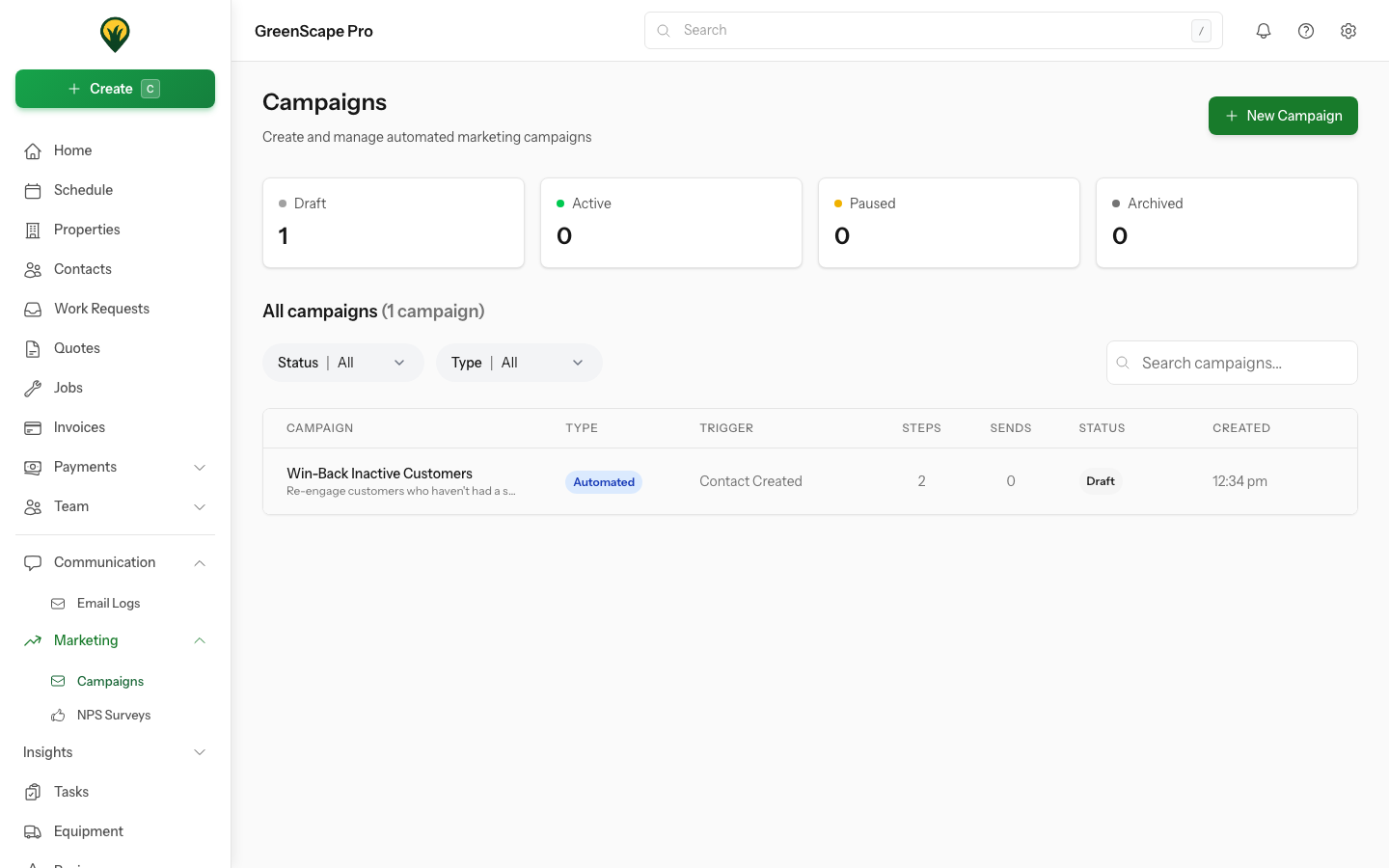
Click to enlarge
Quick Start
- Go to Marketing > Campaigns
- Click New Campaign
- Choose campaign type (Automated or One-Off)
- Add campaign steps (emails and/or SMS)
- Test your messages with the Send Test button
- Click Activate when ready
Start with a Test
Always send test messages before activating a campaign. This lets you preview exactly what your customers will see.
In This Section
- Creating Campaigns - Set up new campaigns
- Campaign Steps - Configure email and SMS steps
- Sending Campaigns - Send one-off campaigns to contacts
- Testing Campaigns - Preview before sending
- Tokens Reference - Personalise with customer data
Campaign Statistics
Once a campaign is active, you can track its performance:
- Total Sends - Number of messages sent
- Delivered - Successfully delivered messages
- Opened - Emails opened (email only)
- Clicked - Links clicked (email only)
Statistics help you understand what's working and optimise your messaging over time.