
Appearance
Creating Invoices
Create invoices to bill clients for completed work.
From a Job
The easiest way:
- Open the completed job
- Click Create Invoice
- Line items are pre-filled from the job
- Review and adjust if needed
- Save
From a Visit
Invoice for a specific visit:
- Open the completed visit
- Click Create Invoice
- Only that visit's work is included
Manual Invoice
Create an invoice without a job:
- Click + New Invoice
- Select client
- Add line items manually
- Set due date
- Save
Invoice Details
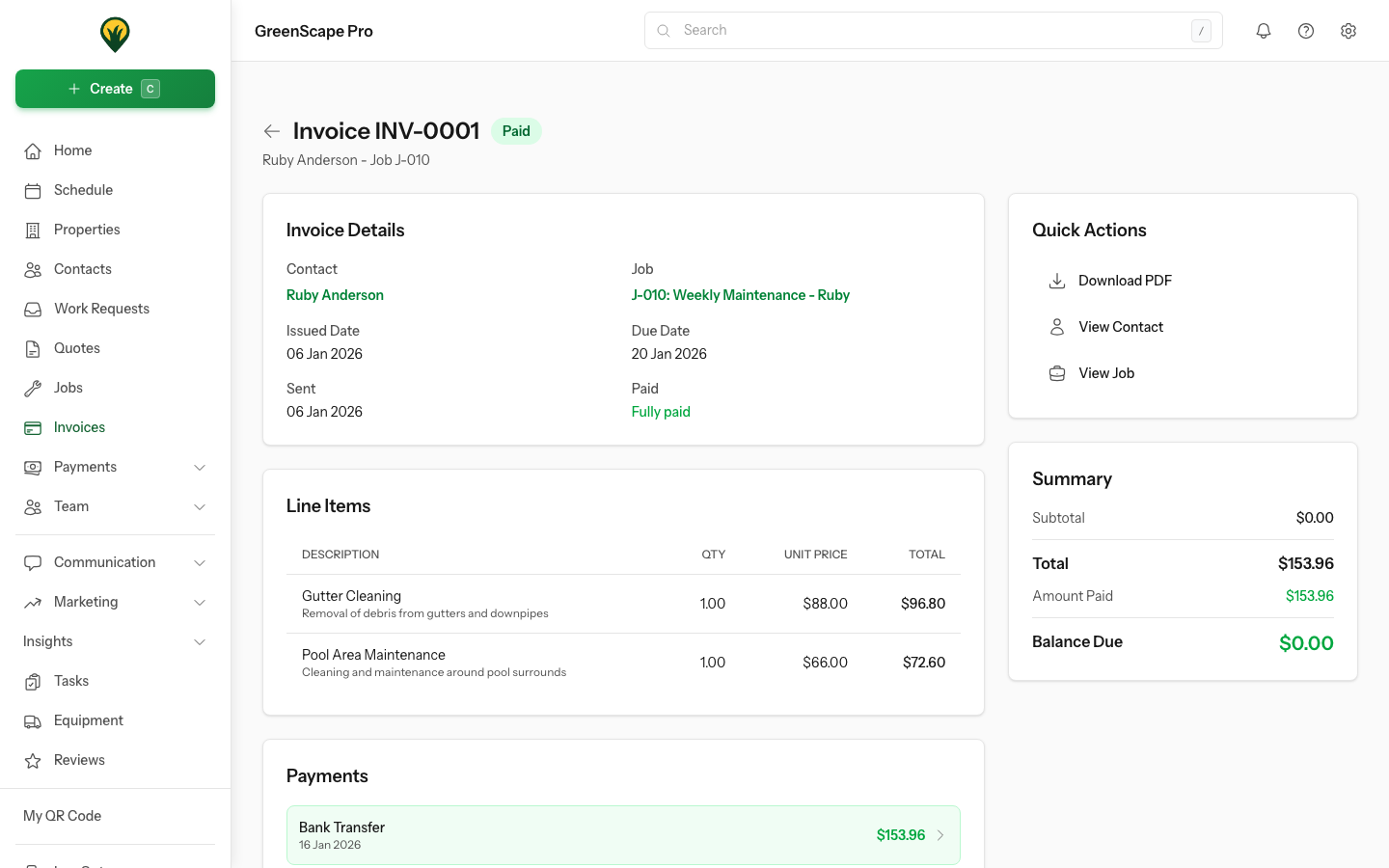
Click to enlarge
Line Items
Each line shows:
- Description
- Quantity
- Unit price
- Line total
GST
By default, the GST Included in Prices option is enabled, meaning prices entered include GST. YardPilot automatically calculates and displays the GST-exclusive subtotal and GST amount.
To enter prices excluding GST (with GST added on top), uncheck GST Included in Prices in the line items section.
Due Date
Set based on your payment terms (Net 7, Net 14, Net 30, etc.).
Editing Invoices
What you can edit depends on the invoice status:
Draft Invoices
All fields are fully editable:
- Contact/client
- Line items (add, edit, remove)
- Due date
- Service date
- Notes and internal notes
- Discount
- GST settings
Sent, Viewed & Partially Paid Invoices
Once an invoice has been sent to a client, most fields are locked to maintain accuracy. You can still edit:
- Notes - Update client-facing notes
- Internal notes - Add notes for your team
- Due date - Extend the due date (but not shorten it)
Cannot Be Changed
After sending, you cannot change:
- Contact/client
- Line items
- Service date
- Discount
- GST settings
If you need to make significant changes, consider voiding the invoice and creating a new one.
Paid & Void Invoices
Fully paid and voided invoices are read-only. No changes can be made.
Lock Payment Terms
Enable Lock payment terms after partial payment in Invoice Settings to prevent due date changes once a partial payment is received.
Next Steps
- Send the invoice to your client