
Appearance
Rostering
Rostering lets you plan your team's work schedule weeks or months in advance. Know exactly who's available each day and how much capacity you have for scheduling visits.
Overview
The rostering workflow:
Create Roster → Plan Capacity → Schedule Visits → Track AttendanceWhy Roster?
- Capacity Planning - Know how many hours your team can work before scheduling
- Avoid Overbooking - See when you're approaching capacity limits
- Payroll Preparation - Expected hours inform timesheet review
- Team Communication - Everyone knows their upcoming schedule
Click to enlarge
Key Concepts
Roster Entry
A roster entry defines when a team member is expected to work:
| Field | Description |
|---|---|
| User | The team member |
| Date | The scheduled work day |
| Capacity | Expected productive hours (typically 6 hrs) |
| Status | Scheduled, Available, or Off |
| Notes | Any relevant information |
Daily Capacity
Capacity represents productive work time, excluding:
- Travel between jobs
- Breaks and lunch
- Admin and paperwork
Example
A team member works 8am-4pm (8 hours), but their productive capacity is typically 6 hours, accounting for travel, breaks, and admin.
Team Capacity
Team capacity is the sum of individual member capacities for a given day.
| Day | Alice (6 hrs) | Bob (6 hrs) | Charlie (4 hrs) | Team Total |
|---|---|---|---|---|
| Monday | Yes | Yes | Yes | 16 hrs |
| Tuesday | Yes | Off | Yes | 10 hrs |
| Wednesday | Yes | Yes | Off | 12 hrs |
Roster Views
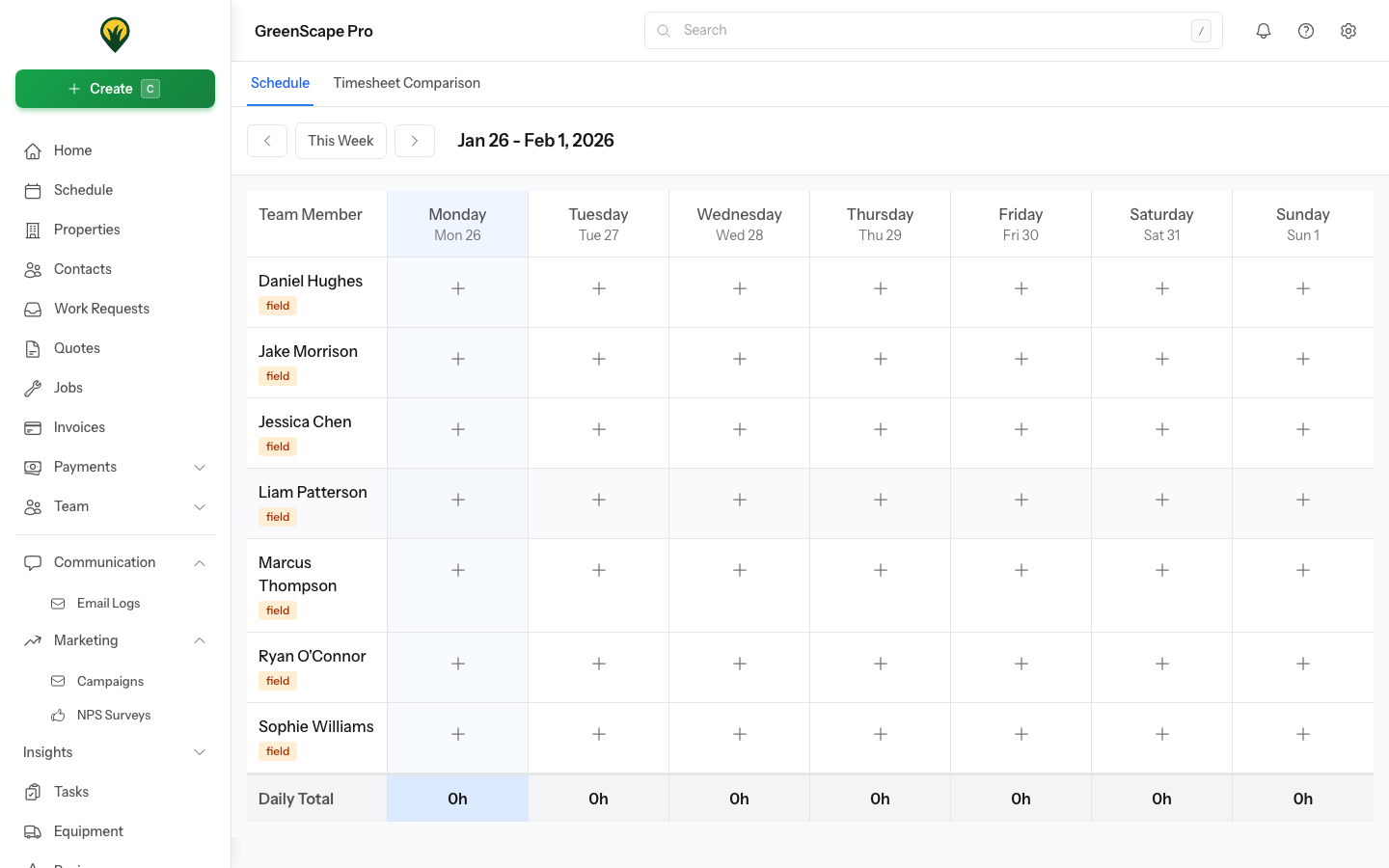
Weekly View
The default view showing a 7-day calendar:
- Each row is a team member
- Each column is a day (Mon-Sun)
- Shows status and hours per cell
- Team totals at the bottom
Daily View
Detailed view for a single day:
- All rostered team members
- Their capacity for that day
- Currently scheduled visits
- Available capacity remaining
My Roster (Field Worker View)
Team members see their own schedule:
- Which days they're working
- Expected hours per day
- Visits scheduled for them
In This Section
- Creating Rosters - Set up your team's schedule
- Weekly Patterns - Create templates for recurring schedules
- Capacity Planning - Understand and manage capacity
- Weather Adjustments - Handle schedule changes