
Appearance
Converting Quotes to Jobs
When a client approves a quote, you can convert it into a job ready for scheduling.
Automatic Conversion
YardPilot can automatically create a job when a quote is approved:
- Go to Settings → Quotes
- Enable Auto-convert approved quotes
- Choose default job settings
With auto-conversion enabled:
- Client approves quote
- Job is created instantly
- You receive a notification
- Job is ready for scheduling
Manual Conversion
To convert a quote manually:
- Open the approved quote
- Click Convert to Job
- Review job details
- Click Create Job
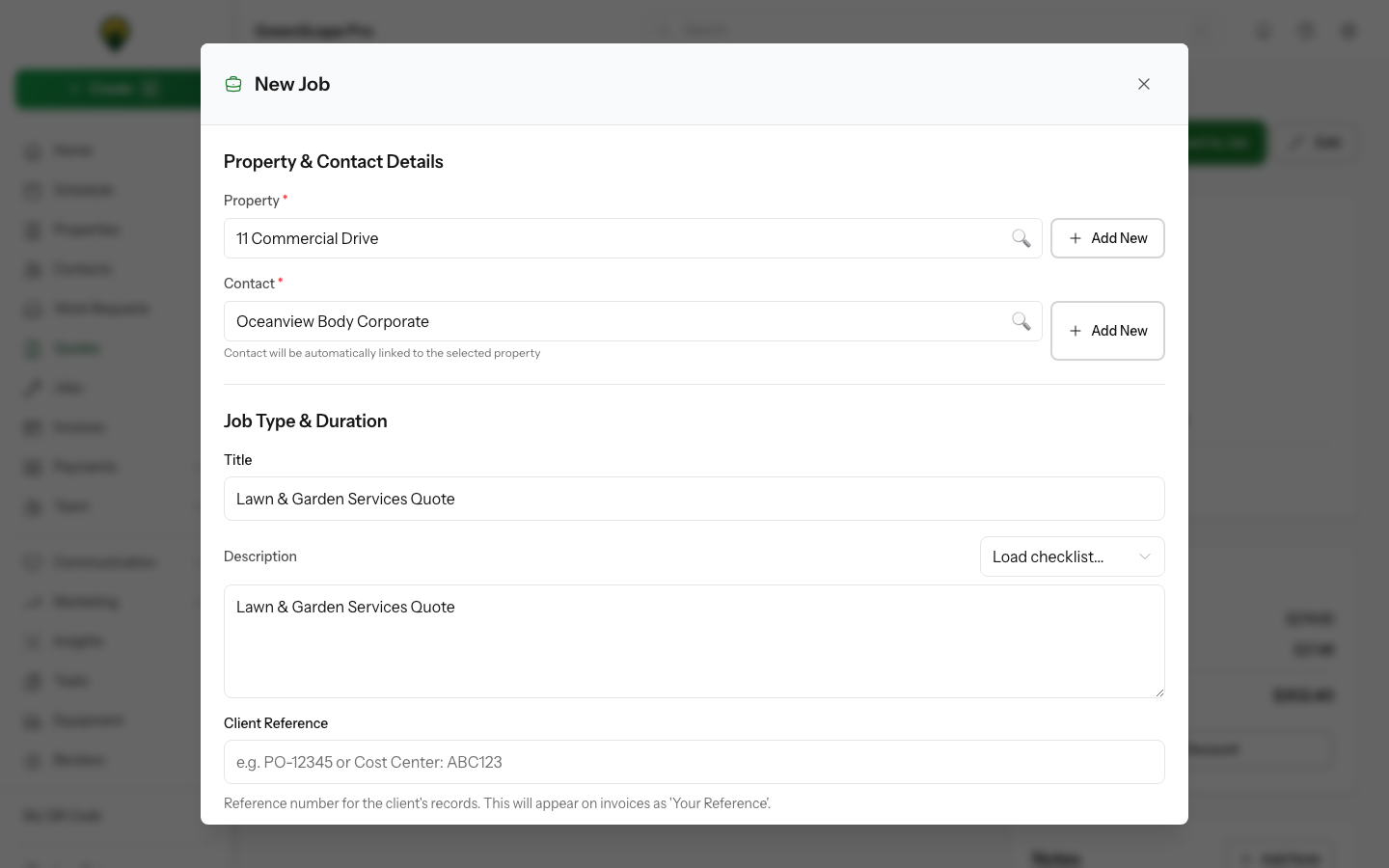
Click to enlarge
What Gets Copied
When converting, the following transfers to the job:
| From Quote | To Job |
|---|---|
| Client | Client |
| Property | Property |
| Line items | Job line items |
| Quote notes | Job description |
| Total | Job value |
What You'll Add
After conversion, you'll typically add:
- Scheduled visit date(s)
- Assigned crew member(s)
- Job-specific instructions
- Equipment needed
One-Time vs Recurring
One-Time Job
For a single service:
- Convert the quote
- Schedule one visit
- Complete the work
- Invoice the client
Recurring Job
For ongoing services (e.g., weekly lawn care):
- Convert the quote
- Set up a recurring schedule
- Visits are created automatically
- Invoice based on your billing preference
Recurring Setup
When setting up recurring jobs, you can choose:
- Frequency: Weekly, fortnightly, monthly, etc.
- Duration: Ongoing, fixed number of visits, or end date
- Billing: Per visit, monthly, or on completion
Partial Conversion
Sometimes you only want to convert part of a quote:
- Open the approved quote
- Click Convert to Job
- Uncheck line items you don't want included
- Create the job with selected items only
The original quote remains as a record of what was quoted.
What Happens to the Quote?
After conversion:
- Quote status changes to Converted
- Quote is linked to the new job
- You can view the original quote from the job
- Quote cannot be edited (it's a historical record)
Conversion Settings
Configure defaults in Settings → Jobs:
Default Job Type
What type of job is created (one-time, recurring, etc.)
Default Priority
Normal, high, or low priority
Default Instructions
Standard notes added to every job
After Conversion
Once converted, you'll want to:
- Schedule visits for the work
- Assign crew members to the job
- Add any specific instructions
- Notify the client of scheduled dates (optional)
Troubleshooting
Can't convert quote
Quote not approved: Only approved quotes can be converted. Check the status.
Already converted: A quote can only be converted once. The job may already exist.
Job missing line items
Check that all line items were selected during conversion. You can add items to the job manually if needed.
Need to change job details
Jobs can be edited after creation. Go to the job and click Edit to make changes.