
Appearance
Weather Adjustments
Field service work is weather-dependent. Rain, extreme heat, or storms can disrupt your schedule. YardPilot makes it easy to adjust rosters when weather hits.
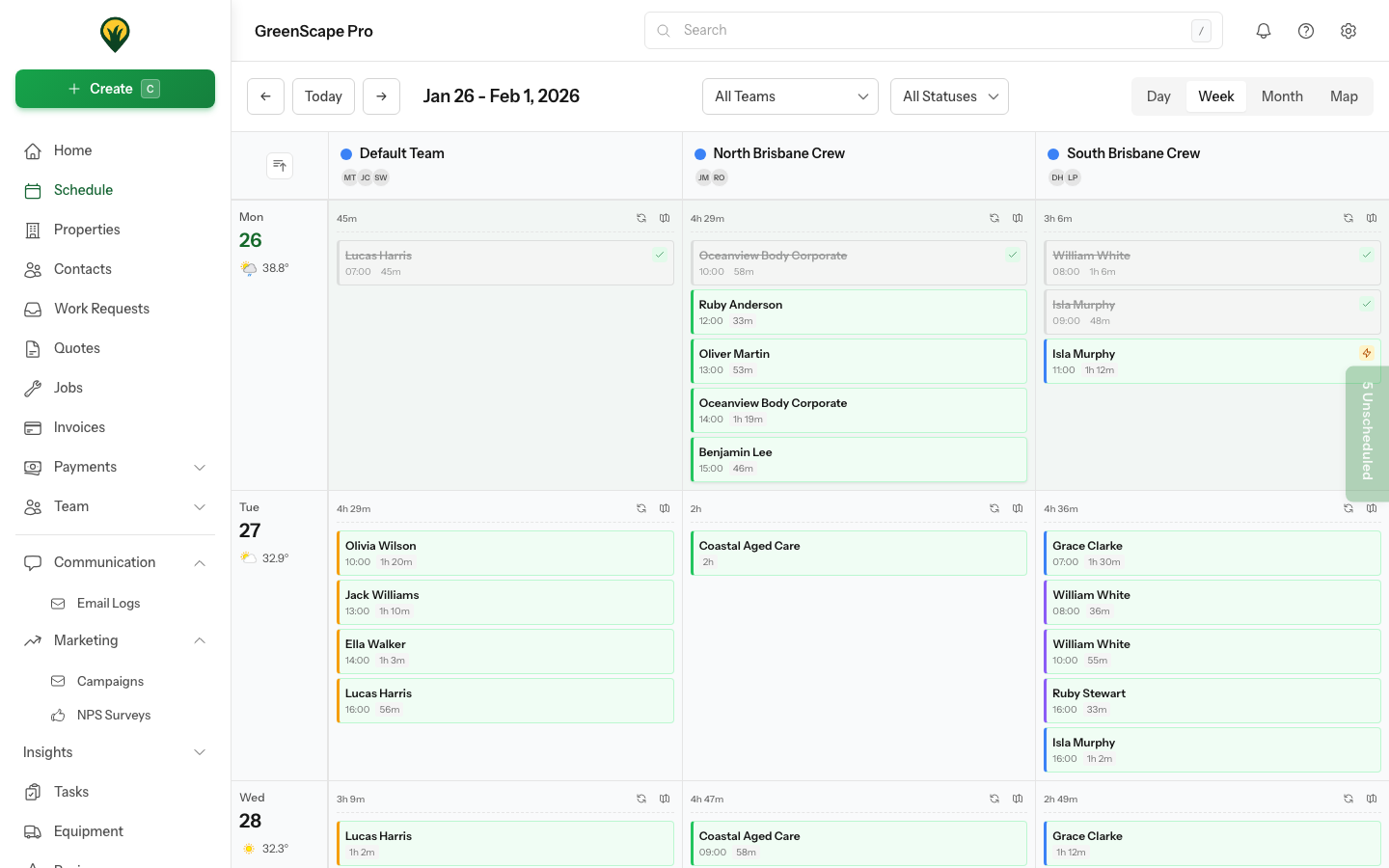
Click to enlarge
Types of Adjustments
Reduced Capacity
Work can continue but with fewer hours:
- Light rain - reduce from 6 to 4 hours
- High heat - reduce from 6 to 5 hours (more breaks)
- Wind - reduce for certain tasks only
Cancelled Day
No work possible:
- Heavy rain
- Severe storms
- Extreme heat warnings
Delayed Start
Start later when conditions improve:
- Morning frost
- Clearing weather forecast
- Afternoon storms expected
Making Weather Adjustments
Single Entry
- Open the roster entry
- Reduce capacity or change status to Off
- Select Weather as the reason
- Add notes (e.g., "Rain forecast, lawn work cancelled")
- Save
Bulk Adjustment
When weather affects the whole team:
- Go to roster for the affected day
- Click Bulk Edit
- Select all affected team members
- Apply the change (reduce capacity or cancel)
- Add weather reason
- Save all
Pro Tip
Enable weather notifications in Settings → Operations → Weather Alerts to get early warnings for your service area.
Impact on Scheduled Visits
Warning Before Saving
When you reduce capacity, YardPilot checks scheduled visits:
- If visits fit in reduced capacity: proceeds normally
- If visits exceed capacity: shows warning with options
Options When Over Capacity
- Proceed anyway - Accept reduced capacity, may need overtime
- Reschedule visits - Move affected visits to another day
- Reassign visits - Move to a team not affected by weather
Automatic Suggestions
YardPilot can suggest reschedule dates:
- Shows days with available capacity
- Considers client preferences
- Groups visits efficiently
Recording Weather Events
Weather Log
Keep a record of weather impacts:
| Date | Type | Impact | Notes |
|---|---|---|---|
| 15 Mar | Rain | -40% capacity | Morning rain, pm cleared |
| 22 Mar | Storm | Cancelled | Severe storm warning |
| 28 Mar | Heat | -20% capacity | Above 38C, extra breaks |
Reporting
Weather impacts appear in reports:
- Lost capacity due to weather
- Comparison by month/season
- Helps with planning and pricing
Client Communication
When Rescheduling
YardPilot can notify affected clients:
- Select visits to reschedule
- Choose new dates
- Enable Notify clients
- YardPilot sends automatic updates
Message Template
Set up a weather message template:
Due to weather conditions, your scheduled visit on [date] has been
rescheduled to [new date]. We apologise for any inconvenience.
Team Communication
When making weather adjustments:
- Team members see updated roster immediately
- Optional: send notification via app
- Cancelled visits removed from their schedule
Payroll Considerations
Reduced Hours
When roster is reduced due to weather:
- Expected hours = reduced capacity
- Actual hours may vary
- Some businesses pay minimum hours
Stand-Down Rules
Configure your policy:
- Minimum hours guaranteed
- Make-up time available
- Leave options
Fair Work
Ensure your weather policy complies with Fair Work regulations and any employment agreements.
Planning Ahead
Seasonal Patterns
In your region, certain seasons bring weather challenges:
| Season | Common Issues | Planning Tips |
|---|---|---|
| Summer | Heat, storms | Start early, finish by 2pm |
| Autumn | Storms, leaves | Flexible scheduling |
| Winter | Rain, short days | Reduce weekly capacity |
| Spring | Rain, growth spurts | Buffer for catch-up |
Buffer Days
Leave capacity buffer for weather catch-up:
- Don't schedule 100% capacity
- Reserve Friday afternoon for rescheduled work
- Plan 10-15% buffer in wet season
Best Practices
- Adjust early - Change roster as soon as you know
- Communicate promptly - Let team and clients know
- Document reasons - Helps with reporting and disputes
- Review patterns - Adjust future capacity based on history
- Plan buffers - Especially in unpredictable seasons
Next Steps
- Capacity Planning - Understand capacity impacts
- Time Tracking - Record what actually happened
- Weather Integration - View forecasts on your schedule