
Appearance
Quotes & Estimates
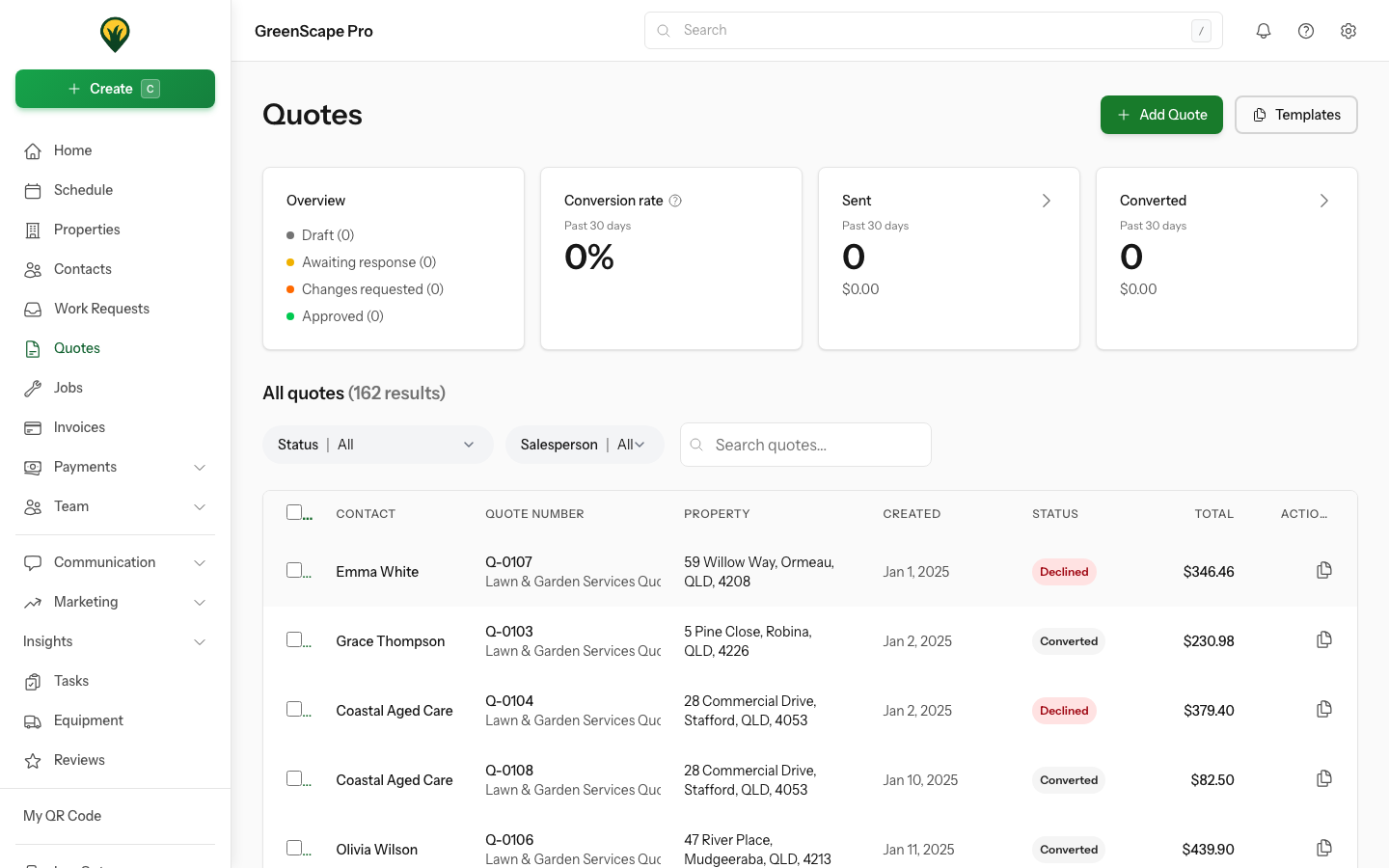
Quotes let you provide professional estimates to clients before starting work. When a client approves a quote, it automatically converts to a job.
Overview
The quote workflow in YardPilot:
Create → Send → Client Views → Approve/Decline → Convert to JobQuote Statuses
| Status | Meaning |
|---|---|
| Draft | Quote is being prepared, not yet sent |
| Sent | Quote has been emailed to the client |
| Viewed | Client has opened the quote |
| Approved | Client has accepted the quote |
| Declined | Client has rejected the quote |
| Expired | Quote validity period has passed |
| Converted | Quote has been converted to a job |
Click to enlarge
Key Features
Professional Presentation
- Your logo and branding
- Itemised line items with descriptions
- GST calculated automatically
- PDF generation for printing
Client Portal
Clients can view, approve, or decline quotes through their personalised portal - no login required via magic links.
Templates
Save time by creating templates for common jobs. One click creates a quote pre-filled with your standard services.
Automatic Conversion
When a client approves a quote, YardPilot can automatically create a job, ready for scheduling.
Managing Quotes
Editing Quotes
Draft quotes can be edited freely. Sent quotes can also be edited and re-sent to the client with updated details.
Duplicating Quotes
To create a similar quote, open an existing quote and click Duplicate. This creates a new draft with all the same line items and details.
Deleting Quotes
To delete a single quote, open it and click Delete Quote from the actions menu.
To delete multiple quotes at once:
- Go to the Quotes list
- Select quotes using the checkboxes
- Click the Delete button in the toolbar
- Confirm deletion
WARNING
Quotes that have been converted to jobs cannot be deleted. If you need to remove a converted quote, you must first delete the associated job.
In This Section
- Creating Quotes - Build quotes from scratch
- Using Templates - Speed up quote creation
- Sending to Clients - Email quotes and track opens
- Converting to Jobs - Turn approved quotes into work